
How do SendFox Smart Campaigns work?
Smart Campaigns turn your blog, podcast or YouTube posts into ready-to-edit draft emails. Set them up in Settings → Sending → Smart Campaigns on every plan.
You get a weekly newsletter built from your latest posts, a draft for every new post, or one email from posts you pick. Smart Campaigns work on every plan, including Free. SendFox only reads your sources; it never posts to them.
How do I add my content sources?
Click your name in the top-right corner, select Settings, then under Connections open Web presence. Under Content sources, add your Blog or RSS feed, Podcast or YouTube channel and click Add source.
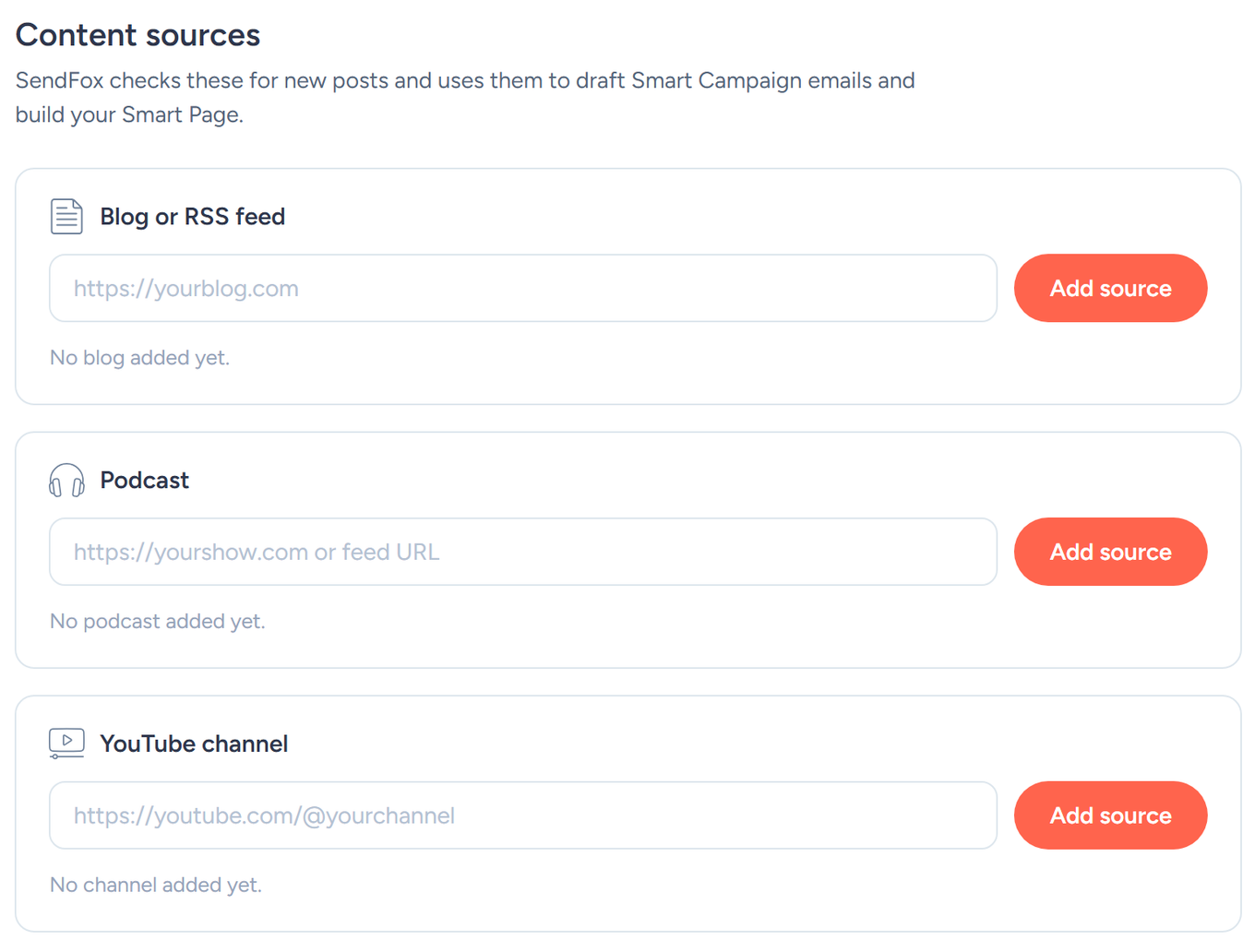
SendFox checks your sources for new content about once an hour. It never posts to your channels — it only reads them.
How do I turn on Smart Campaigns?
Go to Settings → Sending → Smart Campaigns. There are two independent switches:
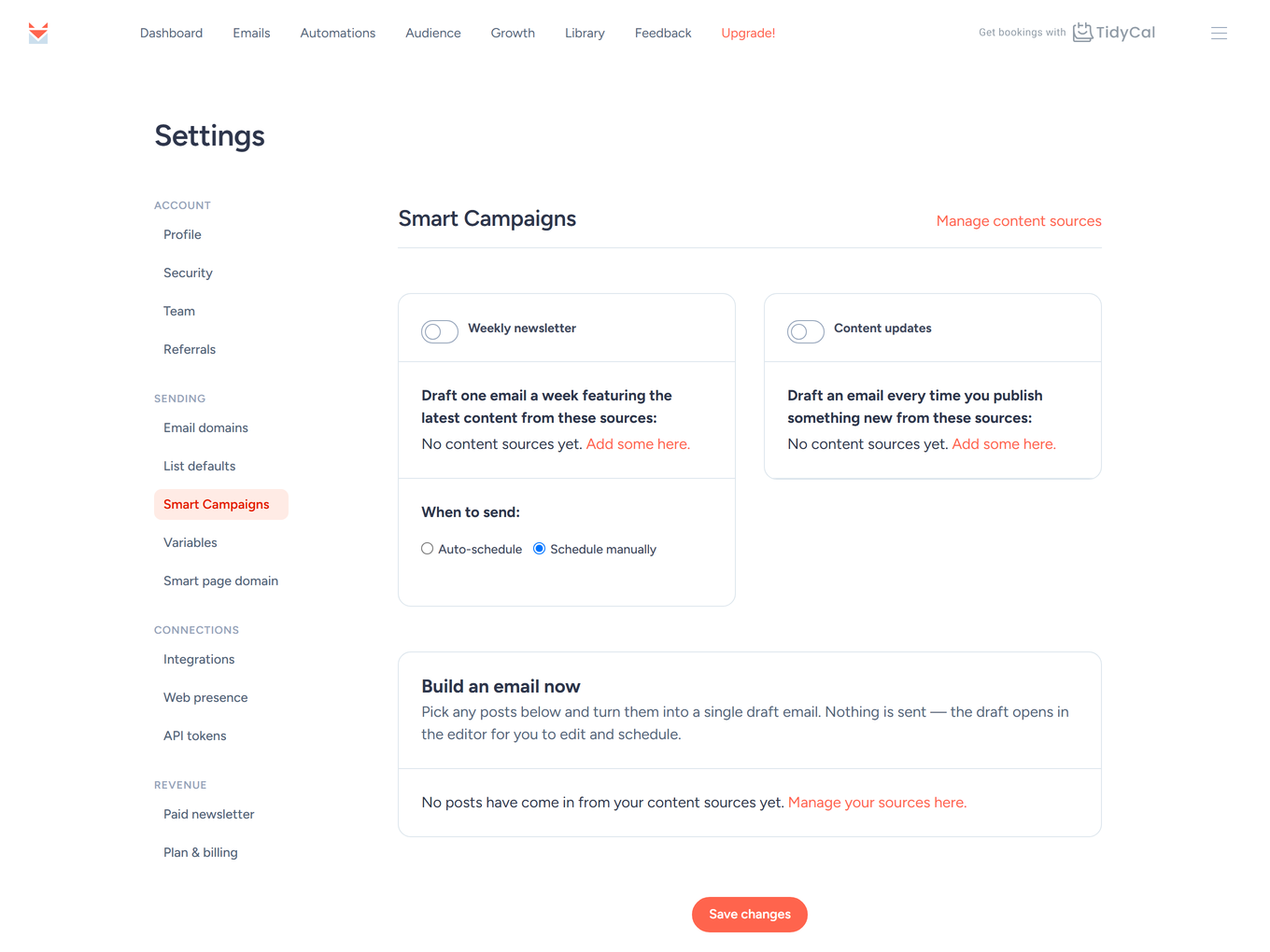
Weekly newsletter
Auto-drafts one email per week promoting your latest content (up to your four most recent items per source from the past week), named "Weekly Newsletter {date}". Under When to send:
- Auto-schedule — pick a Day and Time and the lists under Send to:, and SendFox schedules the email to go out automatically.
- Schedule manually — the draft waits on your Emails page for you to review and send.
When a weekly draft is created, SendFox emails you (subject Oh yes! Your Smart Campaign is ready). If you haven't published anything new that week, no email is created.
Content updates
Auto-drafts an email for every new publication from the sources you tick. Each new blog post, episode, or video becomes a draft campaign (with Engaged only pre-selected) ready for you to review on the Emails page — nothing sends without you.
Click Save changes when you're done.
How do I build one email from several posts?
Use the Build an email now card on the same page:
- Tick the posts you want in the email.
- Click Build email. A draft opens in the editor. Nothing is sent: edit it, then schedule or send it as usual.
While you write any email, you can also add posts from your content sources with the Feed posts block in the editor’s side panel. See how to create and send an email.
Troubleshooting
No emails are being created
- Check that you've added at least one content source — without sources, both switches have nothing to work from ("Please add a content feed before generating a Smart Campaign.").
- The weekly newsletter only generates when you've published new content in the past week.
- Make sure the right feeds are ticked under each switch and you clicked Save changes.
Where do the drafts go?
- To your Emails page, like any other draft — open one to edit it in the editor before sending.
Still stuck? Browse the SendFox Help Center or email support@sendfox.com with the content source you added.
Frequently Asked Questions
Does anything send without my approval?
Only the weekly newsletter when you choose Auto-schedule and select lists. Content updates and Build an email now always create drafts for your review.
How often does SendFox check my feeds?
About once an hour.
Can I turn several posts into one email?
Yes. On the Smart Campaigns page, use Build an email now: tick the posts and click Build email to get one draft.
Can my content show on my Smart Page too?
Yes — the same sources power your Smart Page's feed page.