
How do I request a new feature in SendFox?
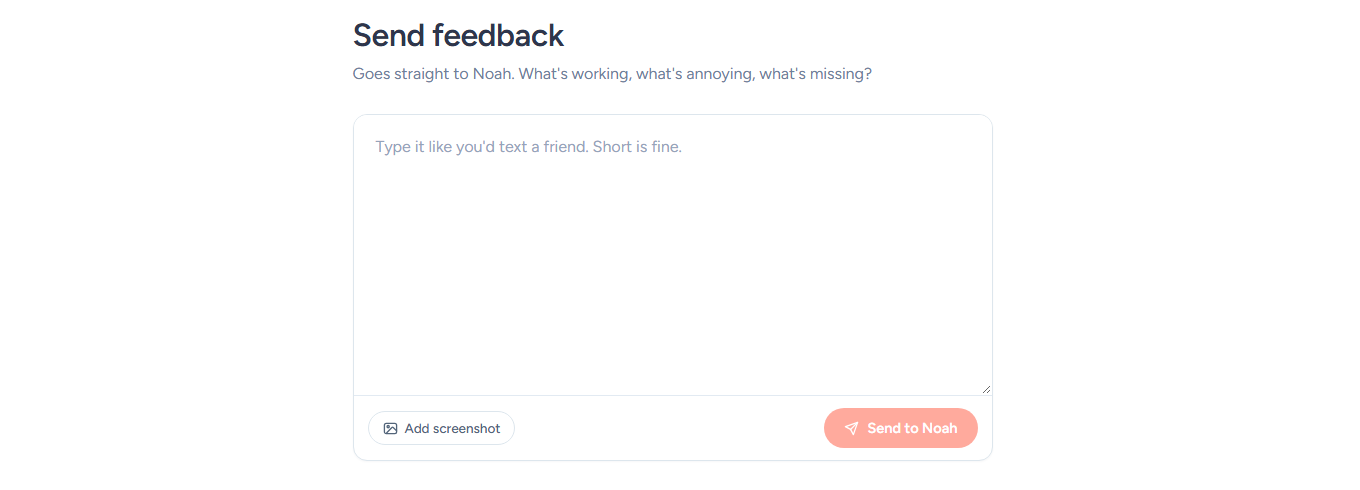
To request a feature in SendFox, open the account menu at the top right, click Feedback, describe your idea in the Send feedback form and click Send to Noah.
Overview
The Send feedback form is a private message to the SendFox team, open to every logged-in account on every plan — Free, Lifetime or Pro. Use it for feature ideas and anything else: what’s working, what’s annoying, what’s missing.
Your message isn’t posted anywhere public: there is no public idea board and no voting, so you don’t need to check whether someone else has already asked for the same thing.
How do I submit a feature request?
- Open the account menu (the three-line icon at the top right of the app) and click Feedback.
- In the Send feedback form, describe the feature you’d like and what it would help you do. Short is fine.
- Optional: click Add screenshot to attach one PNG, JPG, GIF or WebP image under 10 MB, for example of the screen you’d like changed.
- Click Send to Noah. Next to the button, From shows the email address your message comes from.
When it has gone through, you’ll see Thank you for the feedback! Click Send another to write a new message.
You can also open the form from the Share feedback tile under Recommended actions on your SendFox Dashboard.
How do I know when a feature ships?
When we release features, you’ll find them under What’s New in the account menu. A New in SendFox notice can also pop up in the bottom-left corner of the app — click View changelog → to read about it. See where to see what’s new in SendFox for more on how we share what has shipped.
Troubleshooting
I don’t see the Feedback option
- Feedback isn’t in the top nav: it’s in the account menu at the top right of the app, next to Help and What’s New. On a phone, tap the menu icon at the top right to find it.
- The form needs you to be logged in to your SendFox account.
My feedback won’t send
- Send to Noah stays greyed out until you type a message. Messages can be up to 5,000 characters.
- “That screenshot is too big. Please keep it under 10 MB.” or “Screenshots need to be a PNG, JPG, GIF or WebP image.” means the image can’t be attached: pick a smaller image or another file type, or remove it and send the text alone.
- “You’ve sent a lot of feedback in the last few minutes. Please try again shortly.” means you’ve hit a short sending limit: wait a few minutes and send again.
Feedback won’t open on a restricted account
- While your account is under a billing pause or restricted, the top nav is shorter and the feedback form isn’t available: clicking Feedback in the account menu takes you to Account status instead. To see why and what clears it, see why is my SendFox account paused or restricted?
Need help? Browse the SendFox Help Center or email support@sendfox.com.
Frequently asked questions
Can other customers see or vote on my idea?
No. Feedback is a private message to the SendFox team: there is no public board, and ideas aren’t voted on. If you’re not sure someone else has asked for a feature, send it anyway.
Will I hear back?
After you send, the form says “Noah reads every one, and we’ll do our best to incorporate it.” Any reply from the team goes to the email address shown next to From. There’s no status tracking for requests: when a feature ships, it appears under What’s New, and a New in SendFox notice can pop up in the app.
Can I use the feedback form to get help with my account?
The form is for ideas and opinions about SendFox. For help with your account or a problem you’re stuck on, browse the SendFox Help Center or email support@sendfox.com.